
Synlets vs Cursor: AI Agents That Ship PRs vs an AI Code Editor
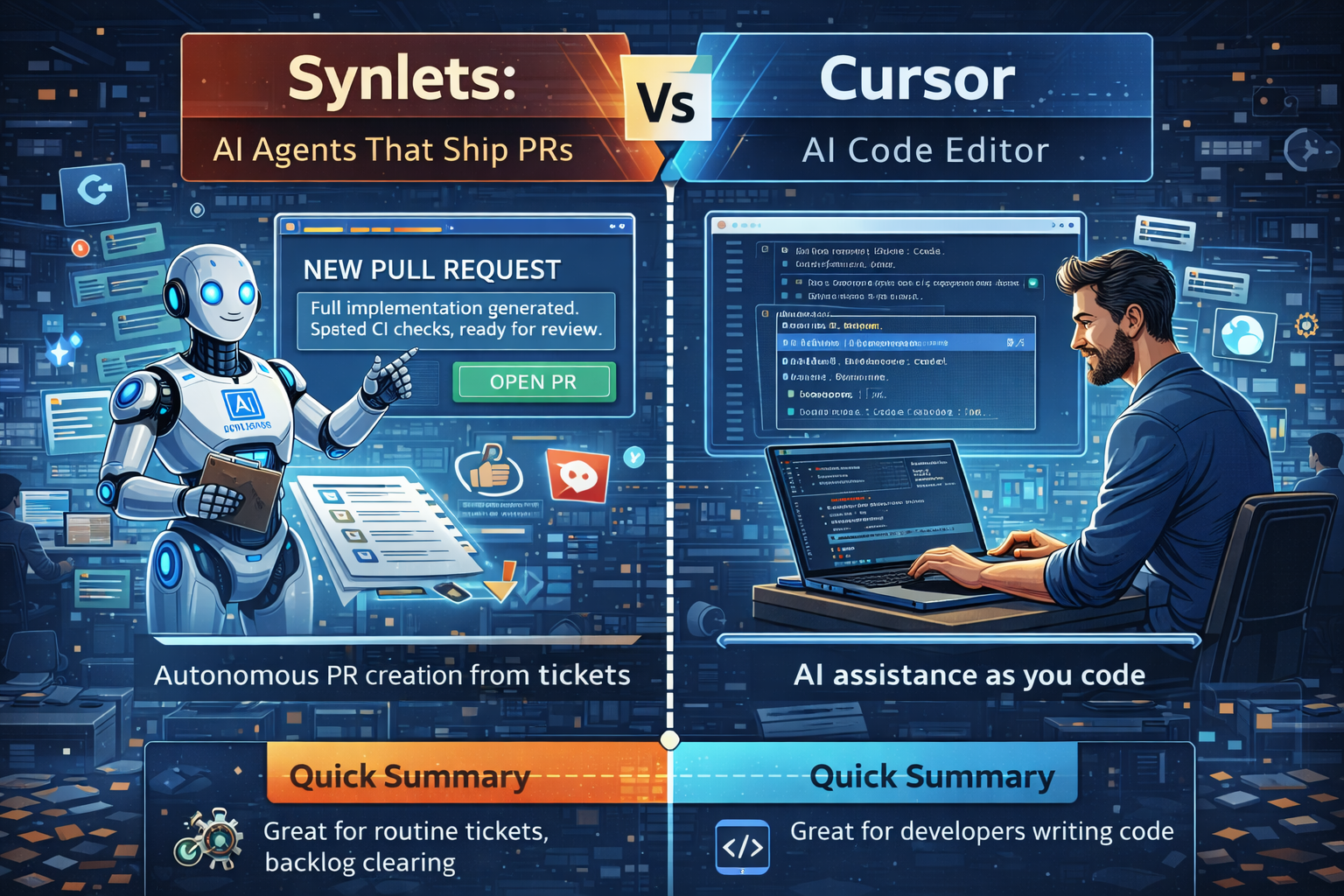
Cursor is a great AI code editor for developers. Synlets is an AI agent platform that turns tickets into PRs. They solve different problems — here's how to decide which one your team needs.
Synlets Team
Product
February 20, 2026
8 min read
Synlets vs Cursor: AI Agents That Ship PRs vs an AI Code Editor
If you're evaluating AI developer tools, you've probably looked at Cursor. It's one of the most popular AI-powered code editors on the market — and for good reason.
But comparing Synlets to Cursor is like comparing a self-driving car to a really good GPS. They both involve driving, but they solve fundamentally different problems.
This post breaks down the real differences, where each tool shines, and how to decide which one your team needs — or whether you need both.
The Core Difference
Cursor is an AI-powered code editor. It sits where VS Code sits. A developer opens it, writes code, and Cursor helps with autocomplete, inline edits, and chat-based code generation. The developer is in the driver's seat.
Synlets is an AI agent platform. Nobody opens an editor. You create a ticket — in Jira, Asana, or through our AI chat — label it, and an autonomous agent implements the entire thing. It reads your codebase, writes the code, creates a PR, and waits for your review. The agent is in the driver's seat.
| Cursor | Synlets | |
|---|---|---|
| What it is | AI code editor | AI agent platform |
| Who uses it | Developers writing code | PMs, leads, founders — anyone who can describe work |
| How it works | Developer types, AI assists | Ticket assigned, agent delivers PR |
| Output | Code in your editor | Pull request on GitHub/GitLab |
| Requires coding | Yes | No |
| Works from tickets | No | Yes (Jira, Asana, AI chat) |
| Code review | Yes | Yes |
| Runs autonomously | No | Yes — 24/7 |
Cursor: Great for Developers Who Code
Cursor is genuinely excellent at what it does. If you're an engineer writing code, Cursor makes you faster:
- Tab autocomplete — Predicts your next line based on context
- Inline editing — Select code, describe the change, get a diff
- Chat — Ask questions about your codebase, generate functions, debug errors
- Multi-file edits — Make changes across files with a single prompt
- Code review — Reviews PRs and posts comments
It's like having a very fast, very knowledgeable pair programmer sitting next to you. But you are still driving. You still need to open the editor, understand what to build, and initiate the review.
Cursor is a developer productivity tool. It makes good developers faster.
Synlets: AI Agents for People Who Don't Code (and Developers Who Don't Want To)
Synlets works at a completely different level. Instead of helping you write code, it writes the code for you.
Here's what that looks like:
1. Create a Ticket
Describe what you need — either in Jira/Asana or through our AI chat interface. The chat scans your codebase and knowledge base to generate a well-defined ticket with acceptance criteria, relevant files, and technical context.
2. Assign to an Agent
Label the ticket (e.g., synlets in Jira). An autonomous AI agent picks it up, clones your repo, reads the requirements, and starts implementing.
3. Get a Pull Request
The agent creates a working PR on GitHub or GitLab. Full implementation, following your codebase patterns and conventions. You review it like you'd review any engineer's work.
4. AI Reviews the Code
Both Cursor and Synlets offer AI code review with PR comments and auto-fixes — the feature set is comparable. Where Synlets differs is tone: reviews read more like a senior engineer's feedback than an automated checklist. But the real differentiator isn't the review itself — it's that review is part of the full cycle. The same platform that created the ticket, implemented the code, and opened the PR also reviews it and iterates on feedback.
No editor. No IDE. No coding required. A project manager can assign a ticket and get a working PR back.
Who Should Use What?
Use Cursor if:
- You're a developer who writes code daily
- You want AI assistance while you're in the editor
- Your bottleneck is typing speed and context switching within code
- Your team is developer-heavy and everyone codes
Use Synlets if:
- You have more tickets than engineers to implement them
- Non-technical team members need to get code shipped
- You want to automate routine development work (CRUD endpoints, bug fixes, config changes)
- You want the full cycle automated — ticket to PR to review to iteration — in one platform
- Your bottleneck is developer availability, not developer speed
Use both if:
- Your developers use Cursor for complex, hands-on work
- Synlets handles the ticket backlog, routine tasks, and code review
- You want maximum coverage — developers are faster with Cursor, and work that doesn't need a developer goes to Synlets
The "Cursor for Project Managers" Angle
People call Synlets "Cursor for project managers" — and it's a useful shorthand.
Cursor gave developers an AI assistant in their editor. Synlets gives project managers, engineering leads, and founders an AI assistant for their backlog.
A PM using Cursor still needs to know how to code. A PM using Synlets just needs to know what they want built.
That's the fundamental shift: Synlets makes software development accessible to people who don't write code.
What About Quality?
Fair question. If an AI is writing code autonomously, how good is it?
Here's how Synlets handles quality:
-
Nothing merges without approval — Every change goes through a pull request. You review and approve before anything hits your codebase.
-
AI code review — Before you even look at the PR, our review agents have already checked for bugs, security issues, and pattern violations.
-
Feedback loops — Leave a comment on the PR, and the agent reads it, iterates, and pushes fixes. It's not fire-and-forget — it's a conversation.
-
Knowledge base context — Agents read your Confluence/Notion docs, so they follow your architecture decisions, not just generic patterns.
-
Per-iteration billing — If the agent is going in circles, you can stop it. You only pay for compute used.
The quality floor is higher than you'd expect because the agent has full codebase context — not just the file it's editing.
What About Complex Work?
Synlets isn't trying to replace senior engineers working on complex architecture decisions. That's not the use case.
The sweet spot is:
- Routine tickets — CRUD endpoints, UI components, configuration changes, bug fixes
- Well-defined features — Features with clear acceptance criteria and existing patterns to follow
- Code review — AI reviews every PR, catches issues humans miss
- Backlog clearing — The 30 tickets sitting in your backlog that nobody has time for
Think of it this way: if a mid-level engineer could implement the ticket in a day with clear requirements, Synlets can probably handle it.
For the work that needs a senior engineer's judgment — architecture decisions, complex system design, novel algorithms — your engineers should do that work. Possibly with Cursor making them faster.
Security: Enterprise-Grade vs Editor Plugin
This is where the difference matters for businesses.
Cursor runs on your developer's machine. Code suggestions are processed through Cursor's servers (or optionally through your own API key). Your codebase is on the developer's local machine.
Synlets is built for enterprise use:
- No code storage — Your repo is cloned at runtime and cleaned after each task
- Scoped permissions — Agents only access the repos you authorize
- Pull request workflow — Nothing touches your codebase without review
- Audit trail — Every agent action is logged
- Isolated execution — Each task runs in its own environment
If you're an enterprise or a security-conscious startup, the agent model has a built-in safety net: the pull request. Nothing ships without human approval.
Pricing Model
Cursor charges per seat — every developer pays a monthly fee whether they use it heavily or not.
Synlets charges per compute unit (ACU) — you only pay when agents are doing work. No idle costs, no per-seat fees. A team of 50 where only 10 use Synlets heavily pays for 10 people's usage, not 50 seats.
| Cursor | Synlets | |
|---|---|---|
| Model | Per-seat subscription | Pay-per-use (ACU credits) |
| Free tier | Limited requests | Free credits included |
| Scales with | Team headcount | Work completed |
| Idle cost | Full seat price | Zero |
The Bottom Line
Cursor and Synlets aren't competitors — they're complementary.
Cursor makes your developers faster at writing code.
Synlets eliminates the need for a developer on many tasks entirely.
If your bottleneck is "my developers are slow at coding," Cursor helps.
If your bottleneck is "I don't have enough developers to handle the workload," Synlets helps.
And if your bottleneck is "non-technical people can't participate in development," Synlets is the only option.
Keep reading:
- Beyond Vibe Coding: When AI Should Work Without You — The evolution from vibe coding to agentic coding
- Synlets vs Devin — How Synlets compares to Devin for ticket-driven teams
- Why We Built AI Agents, Not Another Copilot — The autonomy spectrum explained
Synlets is an AI agent platform for software development. Generate tickets, assign to agents, get working PRs. Like Cursor for project managers — but for the entire development cycle.
More from the blog
Synlets vs OpenClaw: Managed AI Agents vs Self-Hosted Open Source
Beyond Vibe Coding: When AI Should Work Without You
© 2026 Synlets. All rights reserved.